Best Food Presets for Lightroom Mobile and Desktop (2025 Guide)
Michael • November 4, 2025 • 6 min read


Michael • November 4, 2025 • 6 min read

Ever snap a photo of a perfectly plated meal and realize it looks… flat on your screen? You’re not alone.
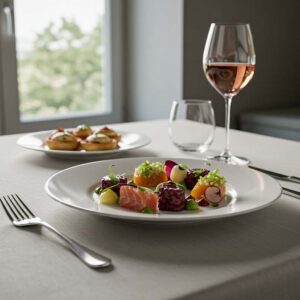
Lighting, colors, and textures can be tricky to balance in food photography. That’s where presets come in. The Best Food Presets for Lightroom Mobile and Desktop make editing fast, consistent, and fun. They bring out the richness of a pizza’s golden crust, the shine of fresh sushi, or the creamy swirl in a latte
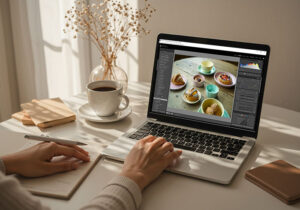
Imagine editing in seconds instead of fiddling with sliders for half an hour. Whether you’re a food blogger, café owner, or just love sharing your culinary creations, these presets help your photos look appetizing and professional.
Let’s explore the top Furoore presets that can turn your food photos into scroll-stopping images.
Content
The best food presets for Lightroom Mobile and Desktop are collections that enhance food colors, textures, and contrast naturally. Furoore’s Foodies Preset Collection, Food Presets Lightroom, Pizza Presets, Coffee Presets, and Sushi Presets deliver professional-looking edits with one click, while working seamlessly on mobile and desktop.
Food photography isn’t just about pointing and shooting. Lighting changes, white balance can be tricky, and textures like bread crust or fish shine are subtle but important. Presets help you maintain a consistent style across all photos.
According to Sprout Social, posts with visually appealing food images receive 37% higher engagement on social media (source). That’s a measurable reason to use presets – good visuals get noticed.
Presets also let you focus on the creative side of photography, while technical adjustments like tone curve, saturation, exposure, and clarity are handled automatically.
I’ve shot food in tiny cafés, bustling restaurants, and home kitchens. One thing I learned: natural-looking edits make all the difference. Over-saturated photos look fake. Furoore presets keep the food’s authentic look, whether it’s a latte with perfect foam or a colorful sushi roll.

Here’s a breakdown of the Furoore collections that help make your food images stand out. Each preset is tailored to a specific style, lighting condition, and cuisine.
| Preset Collection | Ideal For | Key Enhancements |
| Foodies Preset Collection | Everyday dishes, desserts | Subtle warmth, soft contrast, vibrant fruits/veggies |
| Food Presets Lightroom | General food | Clean whites, true-to-life colors, mixed lighting adaptation |
| Pizza Presets | Italian dishes | Golden crust, melty cheese, warm tones |
| Coffee Presets | Café & coffee shots | Warm browns, soft shadows, creamy highlights |
| Sushi Presets | Sushi & seafood | Crisp whites, fresh textures, balanced colors |

Pro tip: Presets act as a foundation — small tweaks personalize the edit to your lighting conditions and food styling.
Q: Can I use these presets on Lightroom Mobile?
A: Yes. All Furoore presets work seamlessly on mobile and desktop.
Q: Are these presets suitable for restaurant menu photos?
A: Absolutely. Pizza, sushi, and Foodies presets work great for professional menus and social media campaigns.
Q: Do presets work in low light?
A: Yes. Coffee and Pizza presets are specifically designed to handle dim café or indoor lighting without losing texture.
Q: Do I need a paid Lightroom plan?
A: No. You can use the free Lightroom Mobile app or any paid plan — presets are compatible.
If you want your food photos to look delicious, polished, and professional, these are the Best Food Presets for Lightroom Mobile and Desktop. Furoore’s collections cover everything from coffee and pizza to sushi and colorful everyday meals, helping you save time while keeping your style consistent. Check them out and see the difference in your next shoot: Explore all Lightroom Food Presets.
Learn more about Presets and Lightroom:
Related Articles