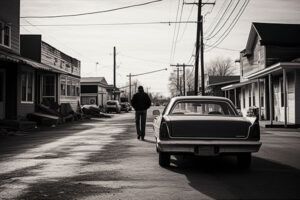
Film Look Street Photography in Lightroom with Presets
Michael • July 18, 2025 • 5 min read


Michael • July 18, 2025 • 5 min read

You love the raw, imperfect feel of film. The grain, the faded colors, the warmth or coolness that adds emotion. But shooting real film is slow and expensive. So why not fake it in Lightroom?
In this guide, you’ll learn how to create film look street photography in Lightroom with presets – fast, easy, and no darkroom required.
Content
To get a film look in Lightroom, apply a preset that mimics film stock characteristics like faded contrast, soft tones, grain, and warm or cool color shifts. Adjust the tone curve, use color grading, and fine-tune grain and calibration for a vintage, analog feel.
Film has a way of making street scenes feel timeless. It softens harsh light, adds grit, and brings out mood in everyday moments. Classic film stocks like Kodak Portra, Fujifilm Pro 400H, or Ilford HP5 have their own visual flavor, now you can get that vibe digitally with presets.
| Characteristic | What It Looks Like |
| Faded Blacks | Matte feel, softens contrast |
| Warm Highlights | Slight yellow/orange glow |
| Cool Shadows | Blue/green tone in shadow areas |
| Natural Skin Tones | Creamy, low-saturation skin |
| Grain | Fine texture across the image |
| Low Clarity | Slight softness, vintage vibe |
You don’t need to build it from scratch, there are film presets designed to get you there instantly.
Try presets inspired by:
If you want to save time and get consistent results, try our street photography Lightroom presets. They’re designed to bring out the mood, color, and atmosphere that make urban shots stand out.

Choose a preset that fits your style, soft and warm for people, punchy and cool for city lights.
Film edits usually lean soft.
Use the Tone Curve to finish the film look:
Split tone the image:
This gives you that signature analog color balance.
Color calibration shifts the base tones in your photo.
Film-style edits aren’t for every photo, but when they hit, they hit deep.
Once you’re comfortable with film presets, try combining them with your own tweaks. If you’re new to editing, follow our editing workflow for street photography.
New to Lightroom entirely? These beginner presets are a good way to ease into editing.
Getting the film look in street photography with Lightroom presets is all about feeling, not perfection. Film has flaws, that’s what makes it beautiful. Use presets to capture that look, then tweak it to fit your scene and mood.
Lightroom lets you skip the chemicals, the scanner, and the waiting, but still lets your street photos look like they came from another era.
Related Articles
Your thoughts and questions