



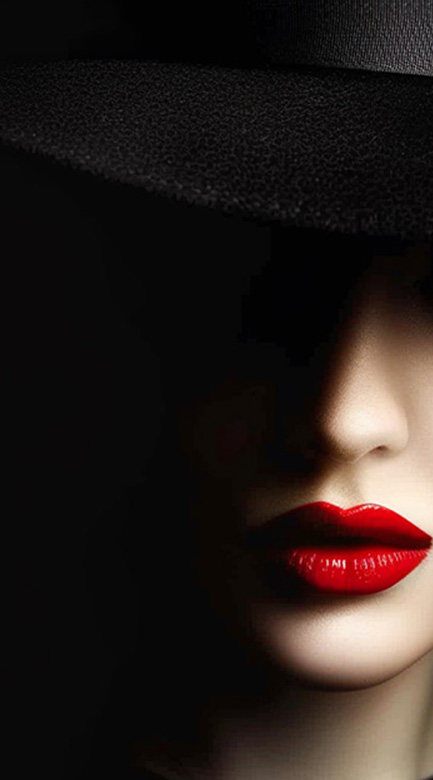
Lightroom Presets make editing fast and consistent. Our easy-edit workflow presets help you achieve professional, film-inspired, and cinematic looks in just a few clicks. Explore the collection to find the perfect style for your photos.


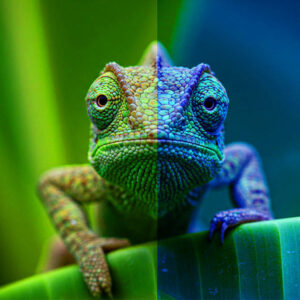




What Are Lightroom Presets?
Lightroom presets are pre-made settings or one-click filters for Adobe Lightroom that can instantly enhance the look of your photographs.
Basically, a preset is a collection of saved adjustments, like exposure, contrast, highlights, shadows, white balance, color grading, and sharpening, that you can apply to an image or a whole batch with just one click.
They’re powerful editing shortcuts and creative tools that cater to both novice and professional photographers and content creators.
Benefits of Using Lightroom Presets:
- Time-Saving Workflow: Presets dramatically accelerate the photo editing process, allowing users to achieve professional-grade results in seconds, rather than manually adjusting each setting. This is crucial for batch editing large volumes of photos, such as from weddings, events, or travel.
- Achieve Consistent Aesthetic & Branding: They enable creators to establish a cohesive visual style across their entire portfolio, social media feeds, or client galleries. This consistency is vital for personal branding and creating a recognizable signature look.
- Ease of Use & Accessibility: Presets democratize professional photo editing. Even beginners with minimal editing knowledge can apply sophisticated looks, making advanced color grading and stylistic changes accessible to everyone.
- Creative Inspiration & Exploration: They offer a starting point for creative experimentation, allowing photographers to explore diverse moods and tones (e.g., cinematic, vintage, moody, bright & airy, natural). Presets can inspire new ideas and help refine a specific photographic style.
- Enhanced Quality & Professionalism: High-quality presets are expertly crafted to bring out the best in images, improving color accuracy, dynamic range, and overall visual appeal, leading to more polished and professional-looking photographs.
Why They Are Essential for Photographers & Content Creators
Using Lightroom Presets offers several key benefits:
- Speed and Efficiency: Batch-edit hundreds of photos in minutes.
- Consistency: Maintain a signature style across your portfolio.
- Creative Inspiration: Experiment with film-inspired, cinematic, or modern looks you might not design manually.
- Accessibility: Even beginners can achieve professional results without learning every slider in Lightroom.
At Furoore, our easy-edit workflow Lightroom Presets are carefully designed for both new and experienced users. You can customize them further to match your vision perfectly.
Our Lightroom Preset Collections
We provide a wide variety of top-notch Lightroom Presets that cater to various photography styles and preferences. Each collection is crafted with our user-friendly editing workflow in mind, ensuring that anyone can achieve professional-quality edits with ease.
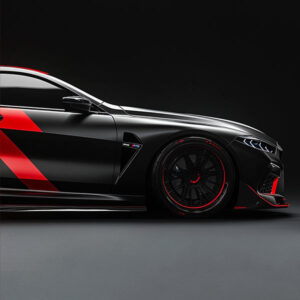
- Automotive Lightroom Presets: Bring out the best in car photography with rich contrast, clean highlights, and dramatic color grading. Perfect for commercial shoots, showrooms, and enthusiasts wanting polished, magazine-worthy images.
- Color Grading Lightroom Presets: Transform your photos with cinematic tones and nuanced color grading. Ideal for storytelling, fashion, editorial, and anyone seeking a distinctive, professional finish.
- Food Lightroom Presets: Make your food photography irresistible with bright, appetizing colors and subtle, natural enhancements. Designed to highlight textures, freshness, and detail for social media, blogs, and menus.
- Portrait Lightroom Presets: Achieve beautiful skin tones and flattering color palettes with presets crafted for portraits. Perfect for photographers who want clean, consistent, and natural-looking results.
- Real Estate Lightroom Presets: Streamline your property photo editing with presets that balance interiors and exteriors, enhance lighting, and create inviting, true-to-life images that help listings stand out.
- Street Photography Lightroom Presets: Channel classic film vibes or modern urban looks with presets made for street photography. Capture atmosphere, mood, and story in every frame with just one click.
Our easy-edit workflow approach ensures that all presets are intuitive to use and can be adjusted quickly for any photo.
How Do Lightroom Presets Work?
Lightroom Presets work by saving a specific combination of editing adjustments, like exposure, contrast, color grading, tone curves, and sharpening, as a reusable file.
When you apply a preset in Lightroom, all those adjustments are instantly applied to your photo. You can then fine-tune individual settings as needed.
Our presets are compatible with Lightroom Classic, Lightroom CC, and Lightroom Mobile. This means you can edit seamlessly on desktop or your phone.
If you're new to using presets, don’t worry, they’re designed to make editing easier, not harder.
Getting Started: Your Quick Guide to Using Lightroom Presets
Ready to transform your photos with a single click? Lightroom presets are your secret weapon for stunning, consistent edits. Here's a quick guide to get you started:
Applying Your Preset:
- In Lightroom Classic (Desktop): Once installed, simply select your photo in the Develop module. In the left-hand panel, find the "Presets" section. Click on any preset to instantly apply its look to your image.
- In Lightroom Mobile: After importing your DNG preset files, open your photo, scroll through the "Presets" tab at the bottom, and tap to apply.
Making Basic Adjustments (After Applying): Presets are a fantastic starting point, but every photo is unique. After applying, we recommend these quick tweaks:
- Exposure: Adjust the "Exposure" slider in the "Light" panel to make your photo brighter or darker.
- White Balance: Fine-tune the "Temp" (temperature) and "Tint" sliders in the "Light" panel if your colors look too warm or too cool.
- Contrast: Increase or decrease "Contrast" to add more punch or a softer feel.
Tips for Consistent Editing: To achieve a cohesive portfolio or social media feed:
- Batch Apply: For photos taken in similar lighting, apply the same preset to a group for a uniform look.
- Personalize: Don't be afraid to make minor adjustments to exposure, white balance, or shadows after applying a preset to tailor it perfectly to each image.
- Develop Your Style: Find a few presets you love and use them consistently to build your unique visual brand.
Want to dive deeper? Explore our comprehensive guides about:
- How to Export Lightroom Photos Without Losing Quality
- How to Use Our Pro Cinematic Presets on Desktop & Mobile
How to Install Lightroom Presets
Installing our Lightroom Presets is simple and takes just a few minutes.
- On desktop or mobile, import the preset files into Lightroom.
- They’ll appear in your preset panel automatically.
- Apply them to any photo with one click.
For step-by-step instructions, see our detailed guide: How to Install Lightroom Presets.
Tips for Getting the Best Results with Presets
- Shoot in RAW: Gives you the most flexibility and best quality for editing.
- Adjust Exposure: Presets can’t guess your perfect exposure, always fine-tune.
- Tweak White Balance: Light sources vary, so adjust to taste.
- Experiment: Don’t be afraid to stack or combine looks for unique results.
Our presets are designed to be flexible starting points that you can customize for your own style and needs.
Why Choose Furoore Lightroom Presets?
At Furoore, our mission is to make editing easy and inspiring. Each preset collection is:
- Carefully crafted by professional photographers.
- Tested on a variety of images to ensure flexibility.
- Designed for an easy-edit workflow that saves time while delivering stunning results.
Whether you're looking for subtle film looks or bold cinematic color, you'll find a pack that matches your creative vision.
Lightroom Presets: Your Questions Answered
We understand you might have questions about getting the most out of your Lightroom presets. Here are some of the most frequently asked questions:
What are Lightroom Presets?
Lightroom presets are pre-saved configurations of settings within Adobe Lightroom that allow you to apply a specific look or style to your photos with a single click. They streamline your editing workflow by instantly adjusting elements like exposure, contrast, white balance, and color grading, providing a consistent and professional aesthetic.
Are these presets compatible with my version of Lightroom?
Our presets are generally compatible with the latest versions of:
- Lightroom Classic (Desktop): Version 7.5 and newer (.XMP files).
- Lightroom CC (Cloud-based Desktop): All versions (.XMP files).
- Lightroom Mobile (iOS & Android): The free app, by importing DNG files.
If you have an older version of Lightroom, please check the product description for specific compatibility or contact our support.
Do these presets work on RAW and JPEG photos?
Yes, our presets are designed to work with both RAW and JPEG image files. For optimal results and maximum flexibility in editing, we always recommend shooting and editing in RAW format, as it retains more image data.
Will one preset work perfectly on every single photo?
While our presets are crafted for versatility, perfect one-click results on every image are rarely possible due to variations in lighting, camera settings, and composition.
Presets serve as an excellent starting point or base edit. You may need to make minor adjustments to exposure, white balance, or shadows/highlights after applying a preset to achieve your desired final look.
What's the difference between Mobile and Desktop Presets?
The primary difference lies in the file format and intended use.
Desktop presets (typically .XMP files) are for the full Adobe Lightroom Classic or Lightroom CC desktop applications, offering comprehensive control.
Mobile presets (typically .DNG files) are optimized for the free Lightroom Mobile app, allowing for convenient editing on your phone or tablet without needing a Creative Cloud subscription for basic functions.
How do I achieve a consistent look across my photos?
To maintain a cohesive aesthetic:
- Choose a core preset: Select a few presets that align with your desired style and use them as your primary editing tools.
- Shoot consistently: Try to shoot in similar lighting conditions where possible.
- Batch edit: Apply the same preset to groups of photos taken in similar environments.
- Minor tweaks: Don't hesitate to make small adjustments (exposure, white balance) after applying a preset to ensure consistency across different images.
Can I edit or customize a preset after I apply it?
Our presets are designed to be fully customizable. Once you apply a preset, you have total control over all the sliders and settings in Lightroom. Feel free to adjust anything to perfectly align with your vision, all without changing the original preset file.