



Want a clean Matte Look?
You got it.


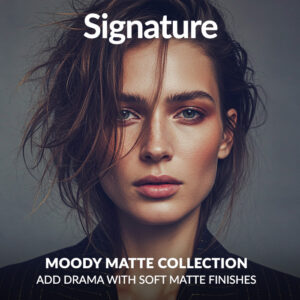
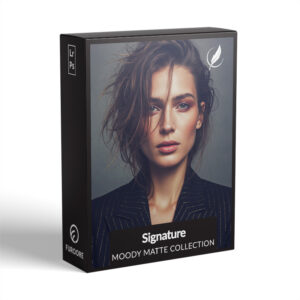

Moody Matte Signature Presets
$69.90
Want rich, moody edits without hours of tweaking? The Moody Matte Signature Presets give your photos a cinematic, soft contrast look with just one click. Designed for Lightroom Desktop and Mobile, these 16 presets bring depth and atmosphere to any image.
Grab them now and start editing with ease – your next scroll-stopper is a few clicks away.
✓ Moody Matte Signature Presets
✓ Save Time and Energy
✓ Professional Look with One-Click
✓ Streamlined Editing Process
✓ Very easy to use
✓ Instant Digital Download
“Honestly, it gave my portfolio the edge I needed. Really love this collection of matte tones. ” – from Monica T., Photographer
Why get these Presets?
- Professional matte look across photos
- Keeps your editing style cohesive
- Fast editing workflow
- Designed for RAW and JPEG files
Get Clean Moody Matte Tones – Signature Lightroom Presets
You’ve got the eye – now let your edits match your vision. Achieve moody, cinematic tones in just one click. Edit with confidence, whether it’s a sunset shoot or a quiet portrait moment. These presets keep your vibe consistent.
Get Moody Matte Presets that deliver rich edits without over-editing.
16 Moody Matte Signature Presets
Fast edits, consistent results across indoor and outdoor photos.
- Noir Matte Signature: Pure matte noir with film-inspired blacks
- Velvet Shadow Signature: Soft, dark tones with rich texture
- Ash Fade Signature: Muted highlights for soft matte look
- Obsidian Signature: Deep blacks with subtle contrast
- Coal Grain Signature: Grainy, moody film feel for drama
- Soft Dusk Signature: Warm, faded tones for evening shots
- Eclipse Signature: High drama, low saturation for bold looks
- Urban Fade Signature: Matte look for city and street scenes
- Frosted Mood Signature: Cool matte with a cinematic edge
- Dark Mist Signature: Moody, foggy effect for atmosphere
- Charcoal Glow Signature: Soft charcoal tones with warmth
- Dim Light Signature: Low-key matte for storytelling photography
- Matte Ember Signature: Warm matte with a rustic glow
- Gloom Tone Signature: Strong mood for dramatic compositions
- Night Fog Signature: Muted night tones with cinematic depth
- Storm Fade Signature: Bold matte grading with dark intensity
✅ Read the detailed description for each preset below.
Whats Included:
✓ 16 Moody Matte Signature Presets
✓ 15 Clean Edit Presets
✓ File format: XMP, DNG
✓ Including 16 DNG files for Mobile
✓ 1x Instruction Guide (PDF)
Compatible with:
» Adobe® Lightroom® 7.5 or later
» Adobe® Camera Raw 10.5 or later
» Adobe® Lightroom Mobile
» Android & iPhone
Clean Edit Presets:
Clean Edit Presets help you build the perfect base for your photo by adjusting one setting at a time – like white balance, exposure, or tones. Each preset tweaks just one thing, so it won’t mess with any other edits you’ve already made.
Moody Matte Tones Lightroom Presets
Perfect for portraits, lifestyle, and moody landscapes.
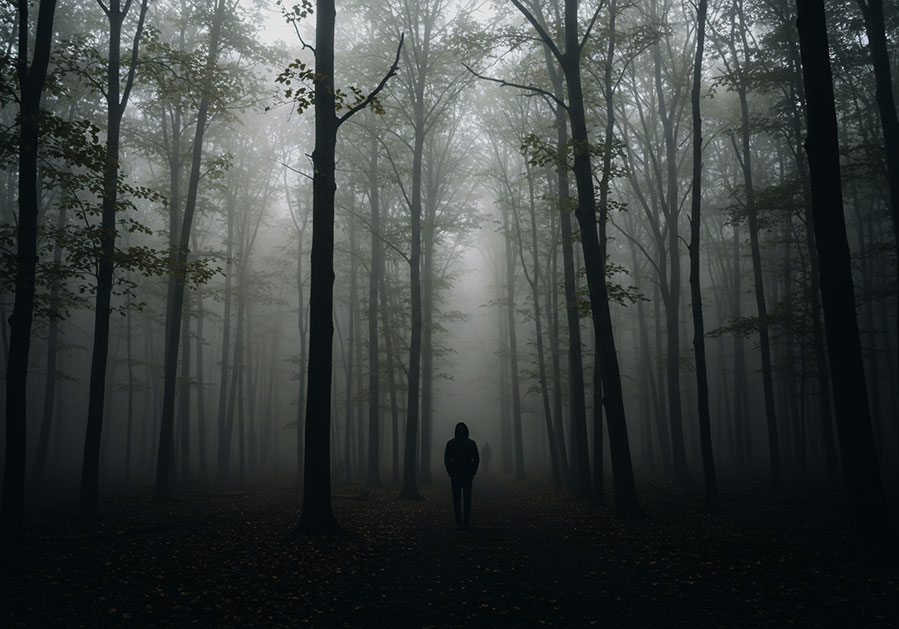
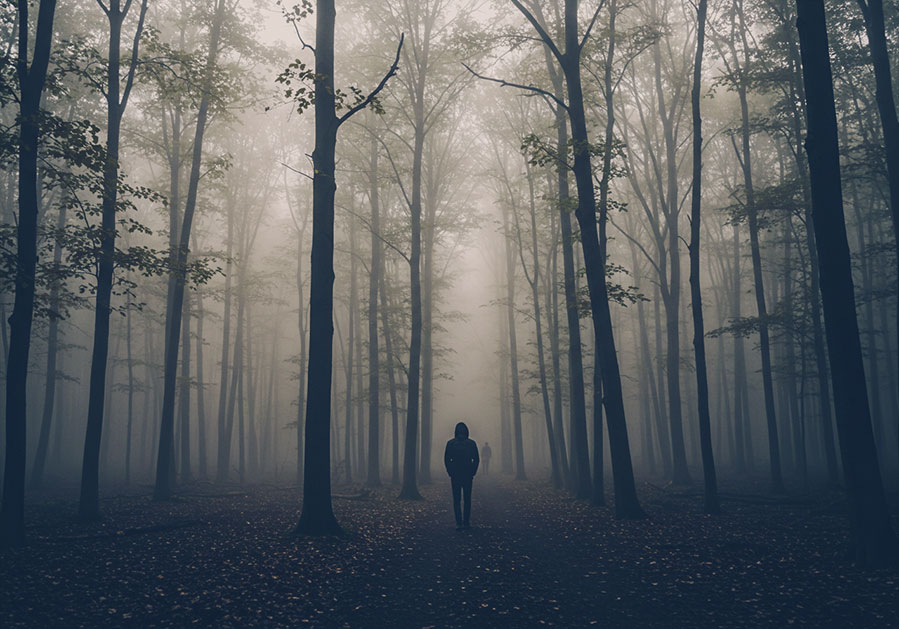
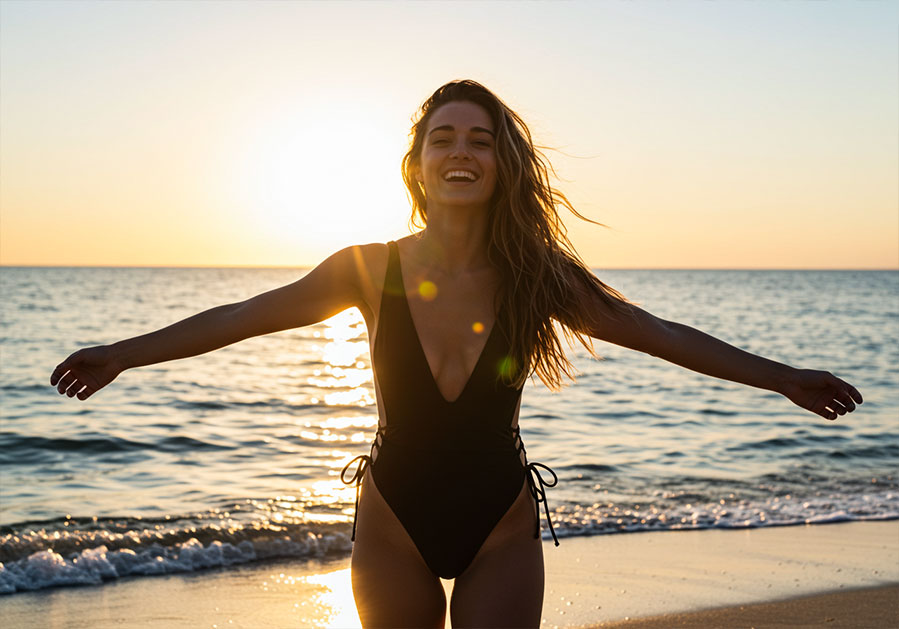
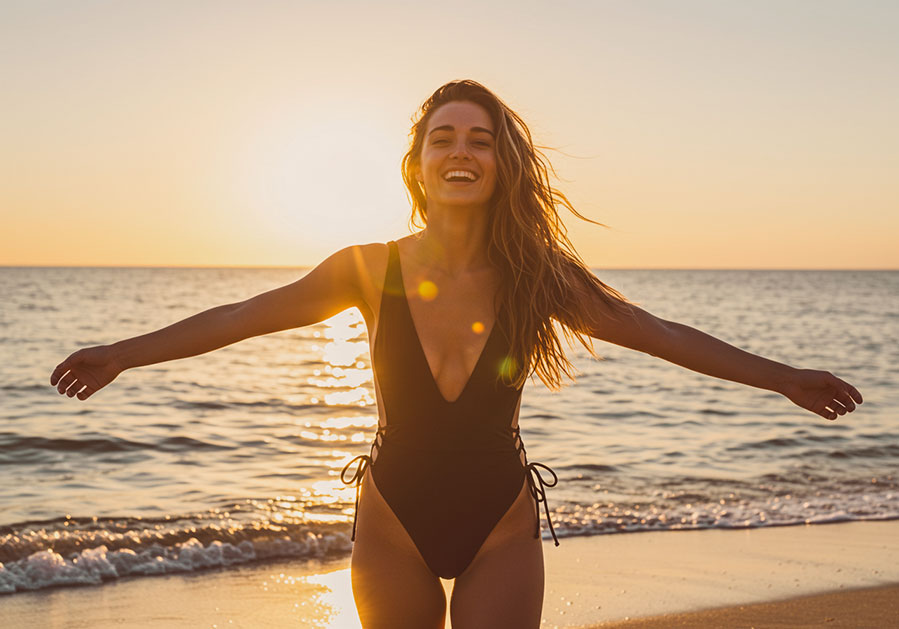
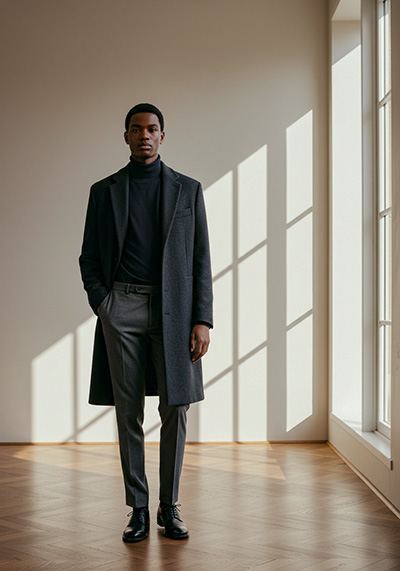
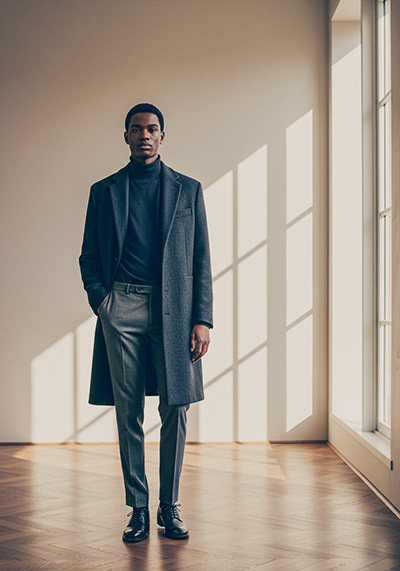
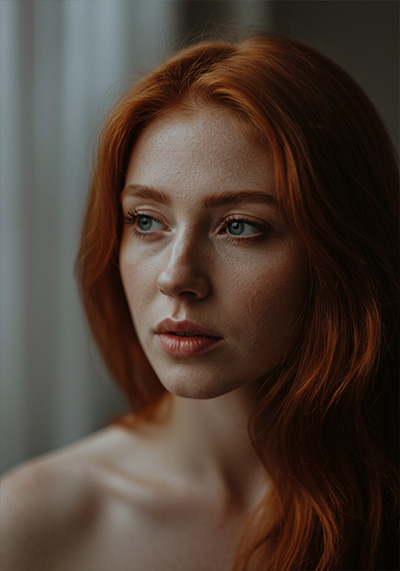
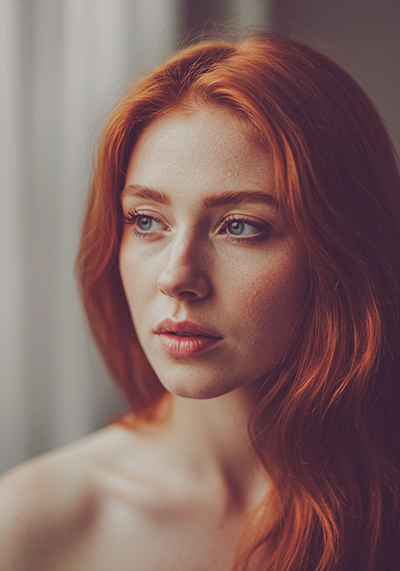
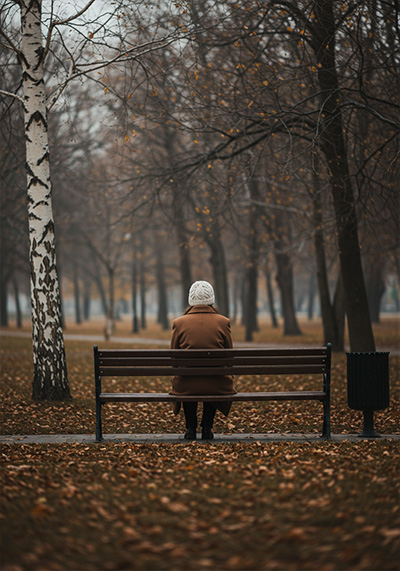
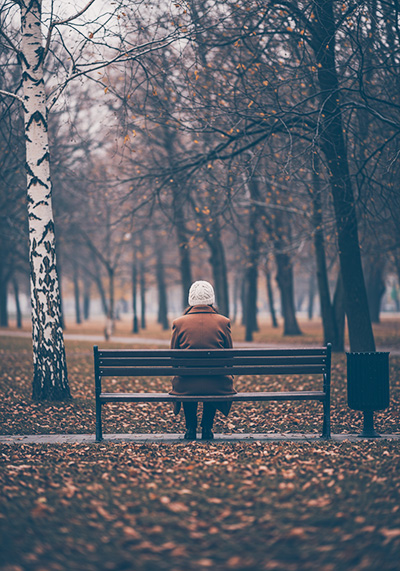
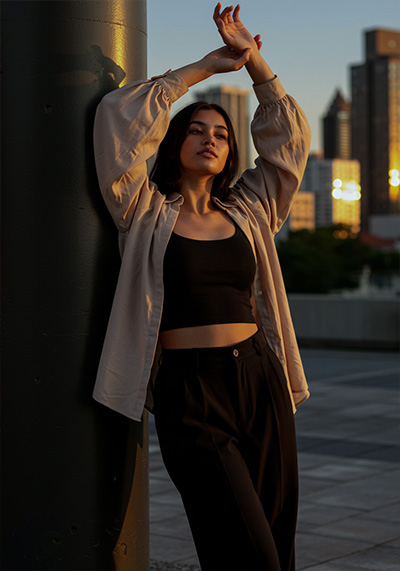
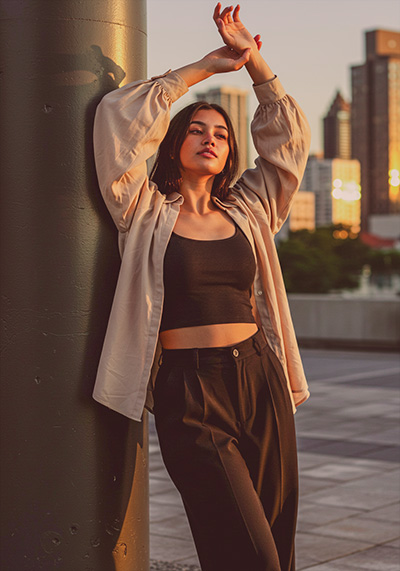
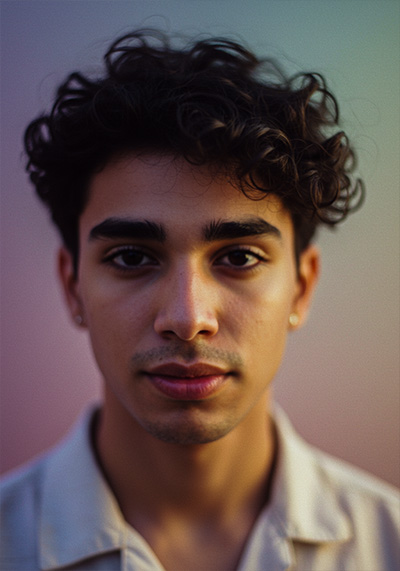
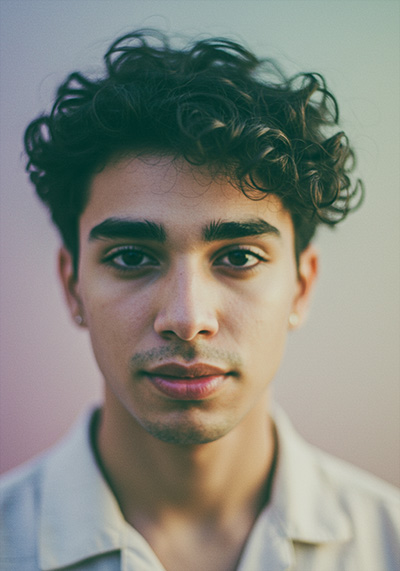
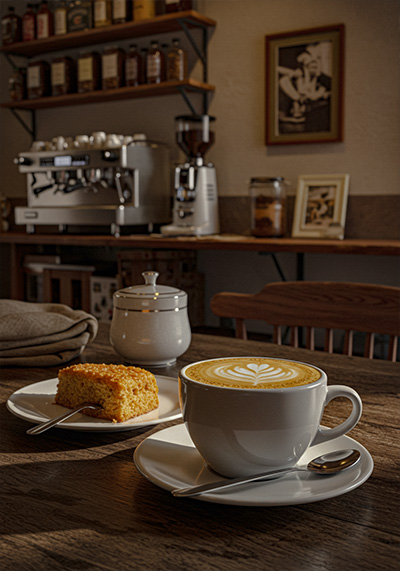

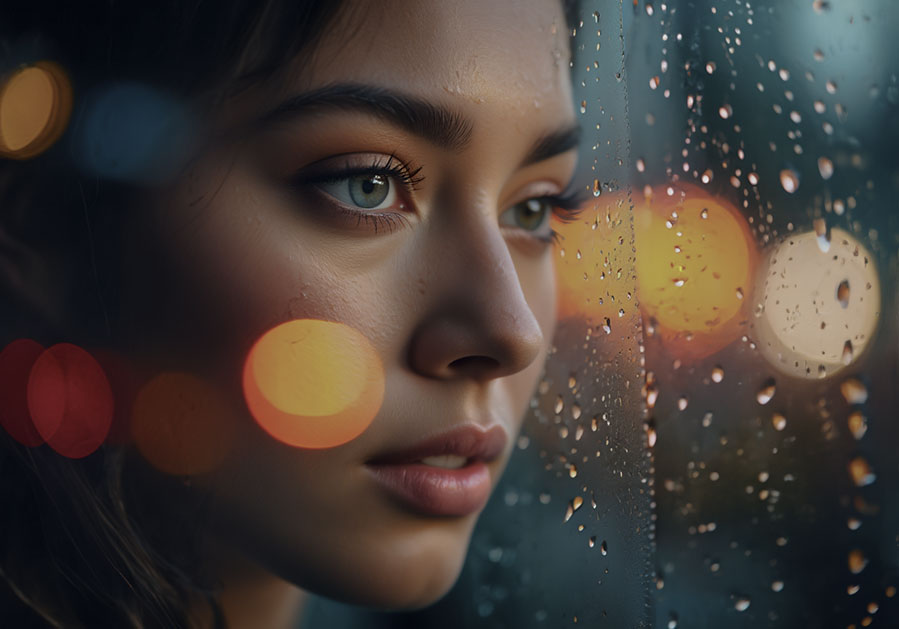
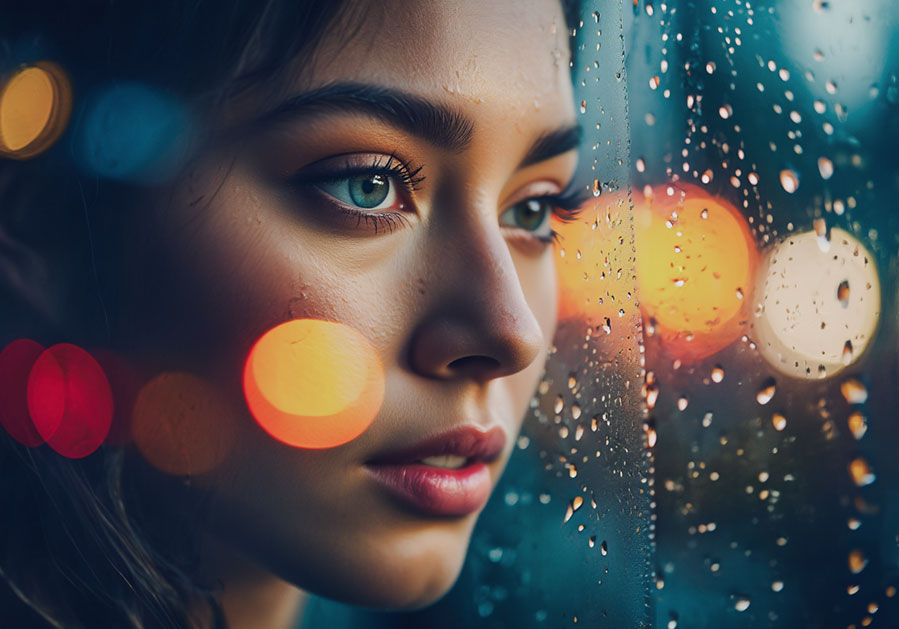
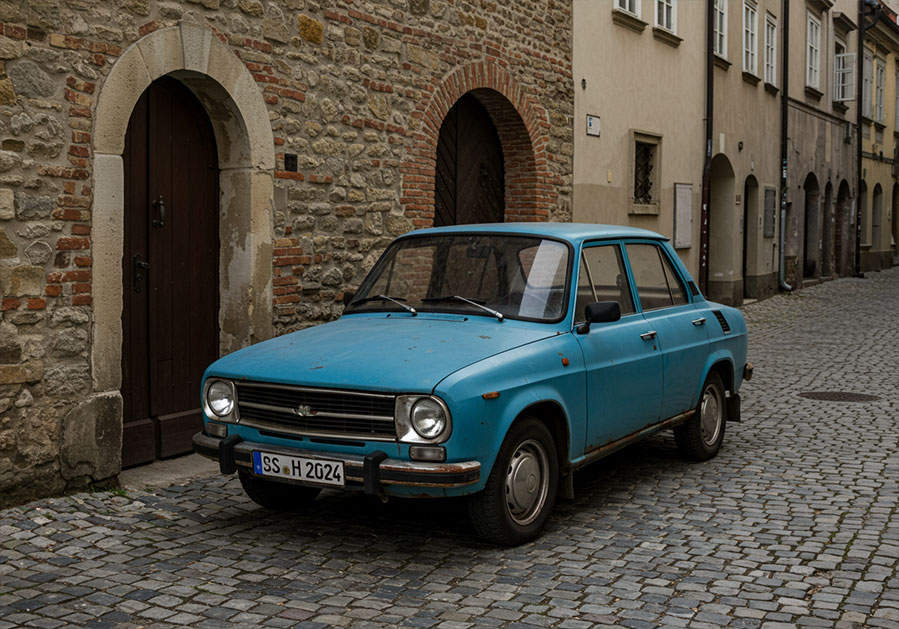
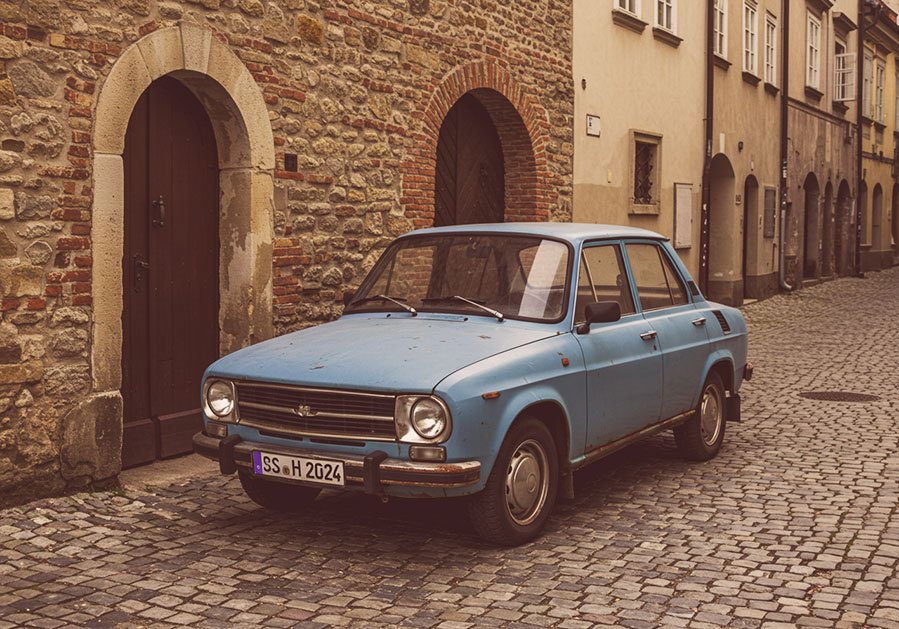
Want to see the full lineup? Browse all Signature Presets for Lightroom for styles that fit your vision.
FAQ
Do you have a Description for each Preset?
Yes, we have a description for each of the Moody Matte Signature Presets.
1. Noir Matte Signature Preset is a cinematic black-and-white inspired preset with deep shadows, low contrast, and a soft matte finish. Ideal for dramatic portraits, timeless city scenes, or fine art edits with a noir aesthetic.
- Creates a desaturated, cinematic matte look with lifted blacks
- Strong noir-inspired aesthetic for moody editorials and portraits
- Works well for fashion, fine art, and dark cinematic photography
2. Velvet Shadow Signature Preset delivers a deep, velvety matte look with soft contrast, subtle cool tones, and rich shadow detail. It’s ideal for intimate portraits, indoor editorial shoots, or stylized fashion photography with a moody, elegant finish.
- Luxurious moody matte look with lifted shadows
- Deep color tones without harsh contrast
- Perfect for editorial portraits, fashion, and dark lifestyle photography
3. Ash Fade Signature Preset brings soft, faded grays and cool undertones into a flat-contrast matte look. Perfect for moody interior shots, minimalist fashion, or understated emotional storytelling.
- Strong ash-gray fade for deep, moody tones
- Heavy matte finish with muted color saturation
- Perfect for fashion editorials, cinematic portraits, and artistic photo sets
4. Obsidian Signature Preset is rich in dark tones and subtle bronze warmth, with heavy blacks and refined color lifts. It works beautifully for high-impact fashion, dusk cityscapes, and stylized portraits.
- Strong contrast and deep blacks
- Cool blue tone in shadows, but with minimal fade for a high-drama effect.
- Sharper clarity and definition for a punchy cinematic look
5. Coal Grain Signature Preset adds gritty film grain and charcoal tones with reduced highlights for a textured, analog look. Ideal for editorial street photography, raw fashion series, or experimental black-and-white edits.
- Extreme strong fade for a true film emulation look
- Slight sepia warmth in shadows for a nostalgic feel
- Very low saturation for authentic retro aesthetic
6. Soft Dusk Signature Preset is a muted, evening-inspired preset with violet-blues, gentle highlights, and a soft haze overlay. Suited for twilight portraits, quiet landscape scenes, or reflective visual storytelling.
- Romantic, pastel-inspired tones (warm golden + purple shadows)
- Soft haze & dreamy glow (ideal for golden hour or dusk)
- Less contrast, more color play for artistic sunset vibes
7. Eclipse Signature Preset offers deep contrast, reduced saturation, and bluish blacks with a cinematic edge. Ideal for high-drama scenes, moody fashion, or night photography with subdued intensity.
- Darkest preset so far → strong blacks & high contrast
- Distinct teal-blue shadows with orange warmth in mids
- High drama and low exposure → perfect for night or moody portraits
8. Urban Fade Signature Preset gives cityscapes a soft matte desaturation with lifted shadows and neutral grays. Perfect for muted urban portraits, architecture, and overcast street scenes.
- City street inspired look with teal/magenta undertones
- Matte but colorful enough for neon vibes
- Balanced contrast for both day and night urban scenes
- Great for street photography, architecture, and lifestyle city shots
9. Frosted Mood Signature Preset features pale highlights, subdued tones, and a soft blue cast that evokes winter chill. Great for cold morning edits, fashion with soft light, or emotional editorial shoots.
- Coolest preset in the collection → true icy feel
- Pastel whites and low saturation for frosted mood
- Heavy blue channel lift → strong winter effect
- Ideal for winter city scenes, snow, foggy mornings, and minimalist interiors
10. Dark Mist Signature Preset wraps images in deep shadows and fine misty gradients, with subtle green-gray color shifts. Ideal for storytelling with mystery, forest portraits, or rainy-day visuals.
- Unique green/aqua mist color shift rarely used in previous presets
- Medium contrast with lifted shadows and deep blacks for balance
- Soft matte texture with subtle clarity to keep moodiness alive
- Perfect for foggy landscapes, moody urban shots, and mysterious portraits
11. Charcoal Glow Signature Preset is a contrast-heavy matte look with smoky blacks and warm highlights, balancing grit with light. Works well for dramatic low-light portraits, high-fashion scenes, or artistic street photography.
- Uses warm golden highlights over a smoky charcoal matte base
- Brings visual warmth without oversaturation
- Ideal for fashion editorials, low-light portraits, and moody interiors
12. Dim Light Signature Preset is a soft low-light simulation preset, mimicking the atmosphere of being indoors or in natural dusk light with warm-neutral shadows, gentle contrast, and reduced clarity for a slightly dreamy, filmic feel.
- Simulates low-light indoor scenes
- Lower contrast with soft clarity and warm ambient grading
- Ideal for documentary, mood-heavy portraits, lifestyle vignettes, and quiet interior storytelling
13. Matte Ember Signature Preset is designed as a warm, dusky cinematic preset with soft contrast, a matte black point, and rich ember hues – perfect for golden hour portraits, cozy interiors, or scenes that need a glowing warmth with vintage-style character.
- Matte finish with warm ember shadows
- A subtle vintage firelight-inspired aesthetic
- Great for golden hour, cozy interior portraits, or muted fashion sets
14. Gloom Tone Signature Preset is designed as a moody, low-contrast matte preset with cool, desaturated tones and soft shadow detail. It’s perfect for foggy outdoor scenes, emotional portraits, or storytelling edits with a muted cinematic palette.
- Cooler tone palette with strong atmospheric mist
- Lower contrast for a soft, overcast mood
- Gloomy but elegant visual style, ideal for storytelling in nature or quiet scenes
15. Night Fog Signature Preset is designed for nighttime street scenes, indoor low-light shots, or atmospheric cityscapes. It features cool bluish tones, crushed blacks, and faded contrast, simulating foggy or dimly lit environments while maintaining cinematic sharpness.
- Tailored for night scenes and foggy atmospheres
- Heavy desaturation with deep blacks and cool shadows
- Unique cinematic feel with subtle grain and heavy matte contrast
16. Storm Fade Signature Preset is perfect for overcast daylight, foggy urban landscapes, and raw environmental portraits, this preset brings a muted color palette, stormy blues, and high-definition texture with a restrained matte look – evoking the feel of a brewing storm or tense cinematic sequence.
- Built for cloudy/stormy lighting
- Strong blue hue in shadows for dramatic effect
- Gritty clarity + controlled matte fade
- Perfect contrast between texture and subdued tones
Do you have Tips for the Presets?
- Try on different lighting types – indoor and natural light.
- Adjust exposure after applying for best balance.
- Use the presets on similar shoot styles for consistency.
- Tweak white balance for custom warmth or coolness.
- Use on RAW for full control, JPEG for speed.
- Don’t stack presets – one is all you need.
- Play with the “shadows” slider to fine-tune mood.
- Save final edits as your own preset if you tweak.
Will these work on Lightroom mobile?
Yes, you can use them on desktop and mobile versions.
How to Download and Install the Presets
As soon as your payment is complete, you’ll get a download link sent straight to your email.
Just follow the easy steps in our How to Install Lightroom Presets guide, and you’ll be ready to start editing on your computer or phone in no time!
How to use Lightroom Presets?
Lightroom Presets with Easy Adjustment
These Lightroom Presets were created by a pro photographer, so you can trust they’re designed to make your photos look amazing, no matter if you’re using a fancy camera or just your phone.
Using them is super easy! Whether you’re editing on your computer or your phone, you can get great results in just a few steps.
Here’s how it works:
- First, take a photo with any camera – DSLR, mirrorless, point-and-shoot, or even your smartphone.
- Next, open that photo in Lightroom.
- Then, add one of the presets to your photo with a single click.
Just a heads-up: presets won’t always look exactly the same on every photo. Things like lighting, color, or how the photo was taken can make a difference. If the photo’s too dark, too bright, or low quality, the preset might not work as well.
After you apply a preset, you might want to tweak a few things to get the perfect look. That’s totally normal! Just play with the sliders in Lightroom until it looks right.
Also, if there are people in your photo, a preset might slightly change their skin tone. No worries, just adjust the colors a bit until it looks good to you.
Presets are here to help you start strong, but a little fine-tuning goes a long way. Have fun editing!
Can I use the Presets in Photoshop?
Yes, these presets also work in Photoshop!
You’ll need Adobe Camera Raw (ACR) version 10.3 or higher (for both Windows & Mac).
How to install:
- Open your photo in Photoshop.
- Go to the top menu > Filter > Camera Raw Filter.
- On the right, click the menu next to “Basic,” then choose Load Settings.
- Select the .xmp file from your unzipped download and click Load.
- Hit OK to apply the preset.
How to use the Clean Edit Presets?
Clean Edit Presets help you build the perfect base for your photo by adjusting one setting at a time – like white balance, exposure, or whites. Each preset tweaks just one thing, so it won’t mess with any other edits you’ve already made.
What are your Terms/License?
These presets are just for you! You’re welcome to use them for personal or commercial projects, but you can’t share, sell, or redistribute them to anyone else.
This license is for one individual only – it doesn’t cover companies or teams.
Please note:
Since these are digital downloads, all sales are final. That means no refunds, returns, or exchanges.
1 review for Moody Matte Signature Presets
Add a review
You must be logged in to post a review.
Related products

$29.90

$69.90

Avery K. –
I Really love this collection of matte tones. Even on JPEGs from my phone, results are clean. Thank you!