



Want that calm, refined style? This is it.


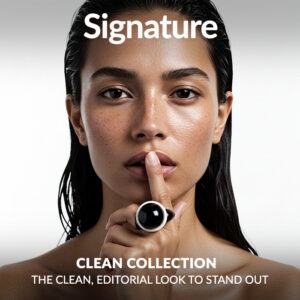
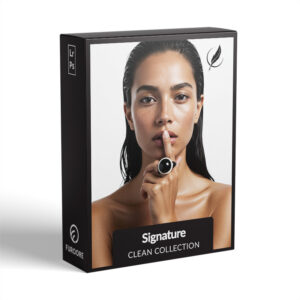

Clean Signature Presets
$69.90
Want clean, modern photos with zero clutter? Our Clean Signature Presets deliver a soft, natural aesthetic with bright whites, balanced tones, and subtle contrast. Perfect for lifestyle, product, and interior shots. Start editing faster, smarter, and cleaner today – no guesswork, just beautiful results that feel effortless.
Try the look professionals trust and elevate your Lightroom workflow.
✓ Clean Signature Preset Collection
✓ Save Time and Energy
✓ Professional Look with One-Click
✓ Streamlined Editing Process
✓ Very easy to use
✓ Instant Digital Download
“I finally got the clean look I always wanted. So easy, made my photos look super high-end.” – from Brooke P., Photographer
Why get these Presets?
- Consistent clean aesthetic in one click
- No harsh filters – just clean, polished results
- Simple to use. Beautiful results.
- Perfect for product, lifestyle, and interiors
Clean Signature Presets for Subtle Edits & Big Visual Impact
Designed for photographers who value clean, uncluttered edits with a modern aesthetic. Perfect white tones, soft contrast, and a natural finish – every photo feels fresh.
Say more with less – simple edits that stand out.
16 Clean Signature Presets
Perfect for bright spaces, clean product shots, and lifestyle images.
- Pure Light Signature: Clean whites with soft, natural colors
- WhiteSpace Signature: High-key, crisp minimalist tones
- Lumen Signature: Bright and luminous with soft shadows
- Soft Glow Signature: Subtle glow for a premium editorial feel
- Pristine Signature: Ultra-clean tones for interiors and product shots
- Bright Air Signature: Light-filled, fresh lifestyle aesthetic
- Ivory Tone Signature: Elegant ivory whites for modern edits
- Cloud Matte Signature: Airy matte tones with soft contrast
- Crisp Whites Signature: Perfect white balance for clarity
- Nordic Minimal Signature: Cool minimal tones for a modern look
- Clear Frame Signature: Bright clarity with delicate contrast
- Soft Contrast Signature: Smooth tonal transitions for lifestyle work
- Natural Glow Signature: Warm, glowing natural highlights
- Fresh Linen Signature: Pure whites for interior design photography
- Light & Luxe Signature: Polished luxury look for branding
- Minimal Mood Signature: Perfect minimal tone with subtle warmth
✅ Read the detailed description for each preset below.
Whats Included:
✓ 16 Clean Signature Presets
✓ 15 Clean Edit Presets
✓ File format: XMP, DNG
✓ Including 16 DNG files for Mobile
✓ 1x Instruction Guide (PDF)
Compatible with:
» Adobe® Lightroom® 7.5 or later
» Adobe® Camera Raw 10.5 or later
» Adobe® Lightroom Mobile
» Android & iPhone
Clean Edit Presets:
Clean Edit Presets help you build the perfect base for your photo by adjusting one setting at a time – like white balance, exposure, or tones. Each preset tweaks just one thing, so it won’t mess with any other edits you’ve already made.
Signature Presets to Get that Clean Look
Create bright, calm photos without the editing guesswork


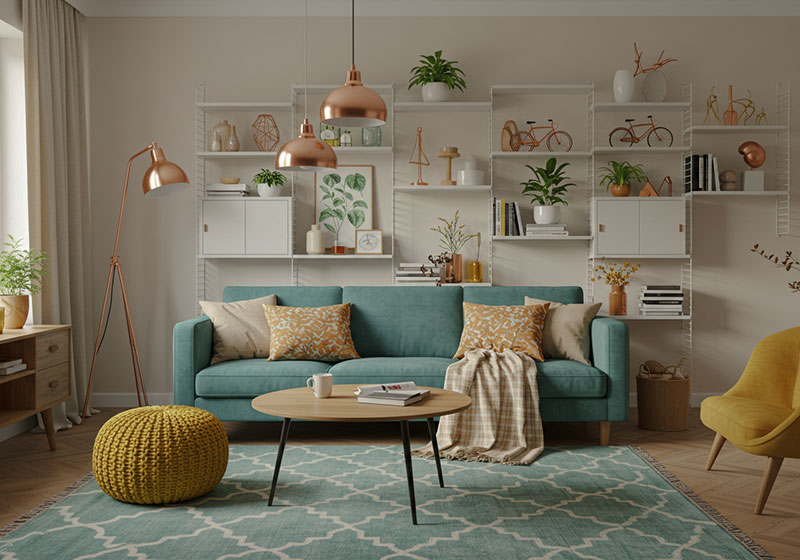
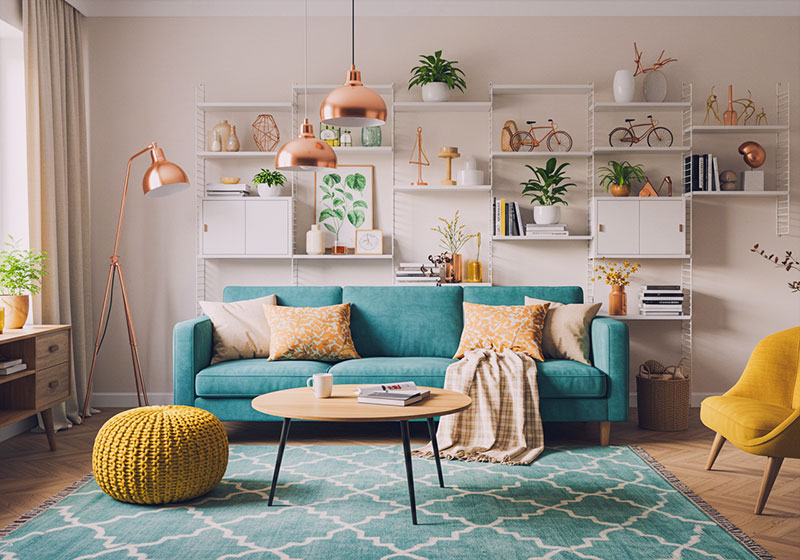
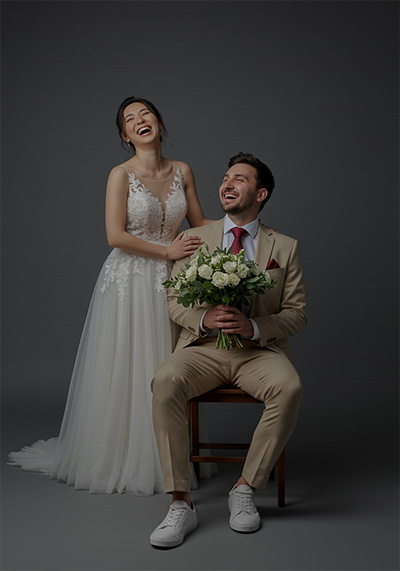
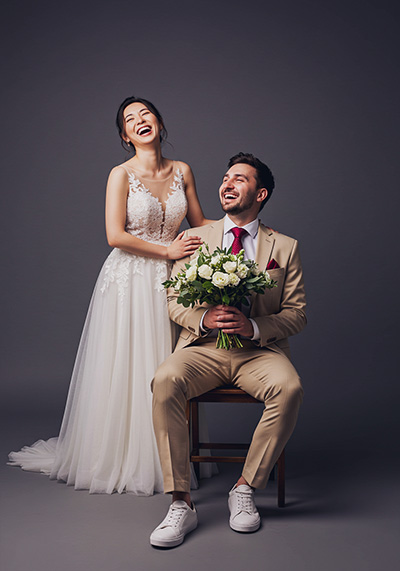


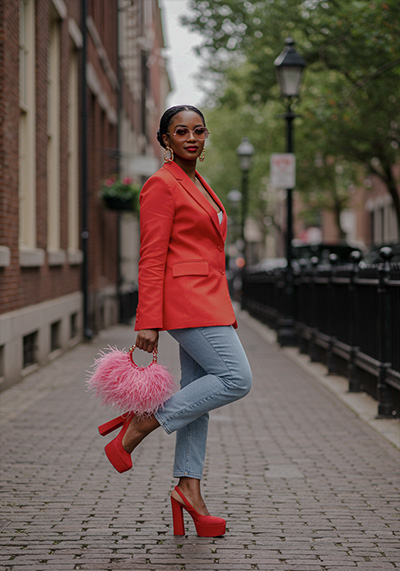
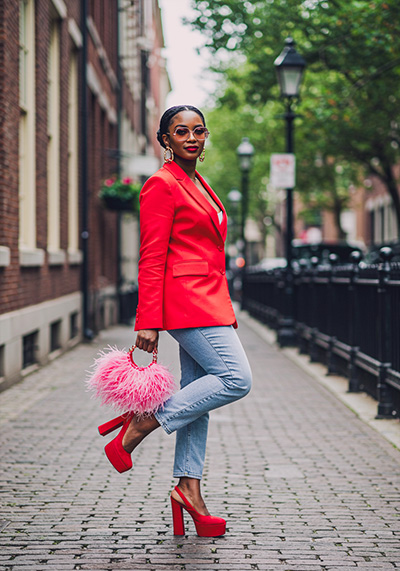

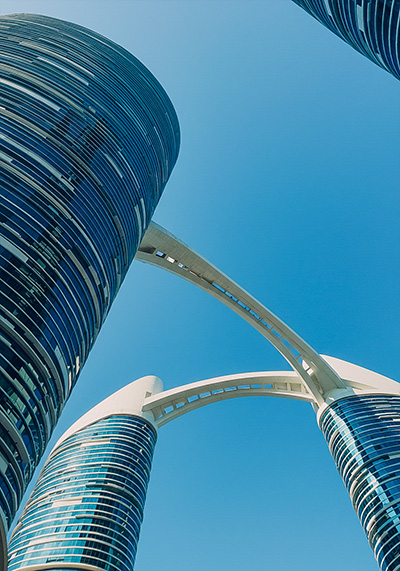
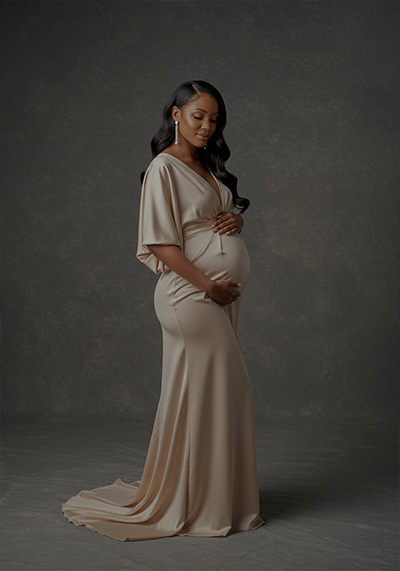
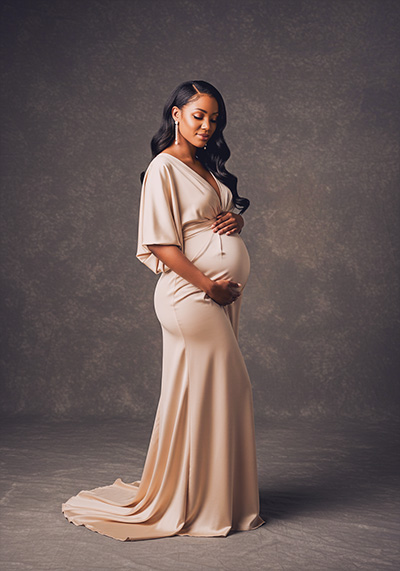


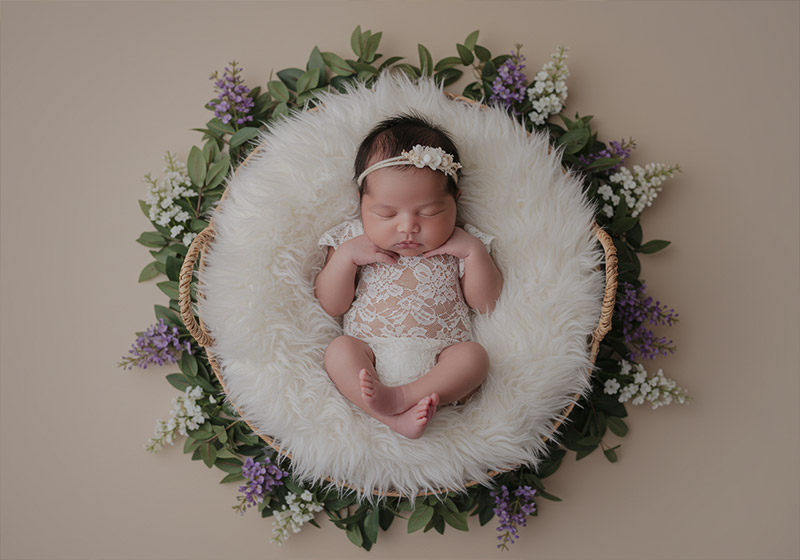
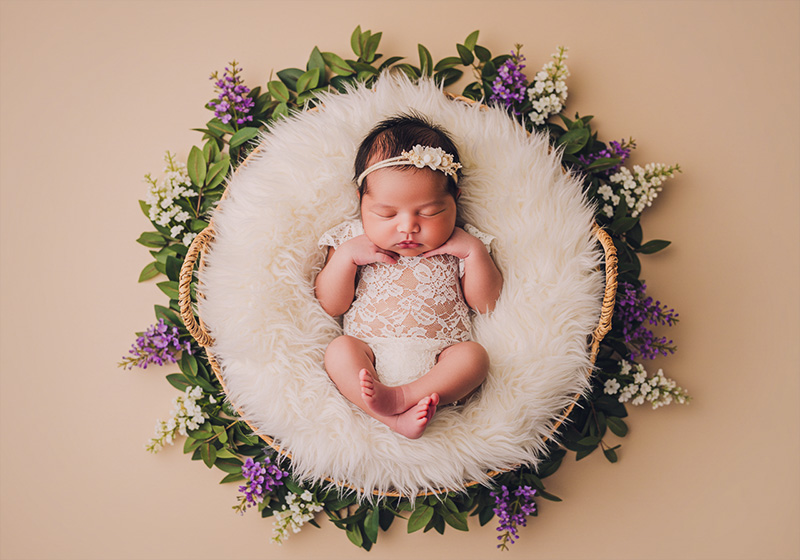


This preset is part of our Signature series – check out the full Signature Presets for Lightroom collection.
FAQ
Do you have a Description for each Preset?
Yes, we have a description for each of the Clean Signature Presets:
1. Pure Light Signature Preset is designed for a clean, radiant aesthetic with soft highlights and balanced whites. It’s ideal for bright interiors, product shots, and airy lifestyle scenes with a refined, professional look.
- Clean, airy whites
- Soft shadows and bright highlights
- Slight warmth in midtones for natural skin tones
2. WhiteSpace Signature Preset brings a minimalist, high-key style with crisp whites and subtle neutral tones. Perfect for modern interiors, design portfolios, or fashion photography where light and space define the scene.
- Extremely bright whites with minimal contrast
- Slight pastel tones for soft neutral mood
- Perfect for minimal branding, interior shots, and lifestyle photography
3. Lumen Signature Preset offers luminous whites and gentle tonal shifts to enhance light-filled spaces. Great for architecture, interior content, and soft editorial work needing a pure and polished finish.
- Bright neutral whites, airy midtones
- Pastel color boost for a subtle yet elegant color pop
- Perfect for lifestyle, product, and minimal branding images
4. Soft Glow Signature Preset delivers a delicate, diffused brightness with warm highlights and smooth contrast. Ideal for dreamy portraiture, serene lifestyle shots, or gentle branding visuals.
- Creates a soft glowing effect for highlights
- Warm, inviting whites ideal for lifestyle, weddings, and branding
- Slight haze for dreamy softness without losing detail
5. Pristine Signature Preset creates a sharp, polished feel with cool whites and smooth tones. Perfect for beauty, skincare content, and editorial clean-style shoots where clarity is essential.
- Bright, crisp whites with modern contrast
- High clarity for premium luxury feel
- Ideal for editorial branding, fashion campaigns, and interiors
6. Bright Air Signature Preset brings a light, airy ambiance with soft pastels and lifted exposure. A great fit for interior influencers, travel photography, or brand content that leans toward minimalism.
- Ultra-bright whites with a breezy, light feel
- Slight pastel warmth for natural tones
- Ideal for lifestyle, interior design, and airy branding content
7. Ivory Tone Signature Preset adds a subtle warmth to whites with creamy undertones and fine tonal balance. Ideal for soft flat lays, feminine portraits, or lifestyle content with a cozy yet minimal feel.
- Creates a soft ivory tone across whites and highlights
- Adds warmth for elegant, luxurious minimalism
- Ideal for bridal, lifestyle, and fine-art interiors
8. Cloud Matte Signature Preset is a soft matte edit with light gray undertones and airy highlights. Designed for gentle storytelling, indoor aesthetics, or light-focused photography with a calm mood.
- Signature matte minimal look with pastel color accents
- Soft, airy whites with a lifted shadow fade
- Perfect for high-end lifestyle, fashion, and branding
9. Crisp Whites Signature Preset is all about clean lines and true whites with a slight cool edge. Perfect for e-commerce, editorial fashion, or home content where precision and brightness matter.
- Pure, bright whites with subtle depth
- Slight contrast for sharp, editorial minimalism
- Perfect for fashion, branding, and clean lifestyle imagery
10. Nordic Minimal Signature Preset brings in soft shadows, gentle highlights, and muted cool tones. Ideal for Scandinavian-inspired interiors, editorial minimalism, or styled product scenes.
- Cool whites with soft contrast and muted saturation
- Pastel balance ideal for Scandinavian interiors and lifestyle
- Clean and sophisticated look
11. Clear Frame Signature Preset emphasizes sharp clarity with neutral whites and minimal contrast shifts. Designed for content creators who want their visuals to feel structured, pure, and brand-aligned.
- Bright whites with perfectly neutral color balance
- Slight sharpness for editorial and branding clarity
- Great for commercial, product, and minimal lifestyle images
12. Soft Contrast Signature Preset balances minimalism with a touch of definition, adding gentle clarity without overpowering the image. Best suited for portraits, lifestyle, or soft product visuals.
- Maintains soft contrast for refined minimal look
- Perfect balance between airy and natural tones
- Great for lifestyle, branding, and interiors where softness matters
13. Natural Glow Signature Preset enhances light with natural warmth and subtle golden undertones. Great for skincare, organic products, or content needing a warm and minimal presentation.
- Creates a luminous warmth while staying minimal
- Perfect for lifestyle and wedding photography
- Adds a creamy, organic glow without losing clarity
14. Fresh Linen Signature Preset is inspired by neutral palettes with soft textures and a hint of beige warmth. A perfect choice for calm flat lays, bedroom interiors, or branding photography.
- Cool whites for a fresh, crisp aesthetic
- Soft contrast for minimal elegance
- Ideal for fashion, interiors, and clean branding visuals
15. Light & Luxe Signature Preset combines clean whites with subtle warmth and elegant tonal depth. Excellent for high-end fashion, interiors, or luxury product shoots with a minimalist edge.
- Bright and sharp whites for a luxury, editorial feel
- Perfect clarity and detail for branding and high-end photography
- Works well for product shoots, interiors, and fashion
16. Minimal Mood Signature Preset introduces soft shadows and a hint of cool desaturation, creating a refined, editorial aesthetic. Ideal for styled shoots, monochromatic palettes, or curated brand visuals.
- A subtle, calm, and minimal aesthetic with soft whites
- Slightly muted contrast for a sophisticated look
- Perfect for lifestyle, architecture, and minimalist branding
Do you have Tips for Using These Presets?
- Use in bright lighting for best effect
- Adjust exposure slightly after applying
- Add a bit of contrast if needed for extra pop
- Great for light backgrounds and interiors
- Use white balance to fine-tune warmth
- Try it on product shots with neutral backdrops
- Don’t overdo clarity – it’s already soft and clean
- Keep skin tones natural by checking HSL sliders
Will these work on Lightroom mobile?
Yes, you can use them on desktop and mobile versions.
How to Download and Install the Presets
As soon as your payment is complete, you’ll get a download link sent straight to your email.
Just follow the easy steps in our How to Install Lightroom Presets guide, and you’ll be ready to start editing on your computer or phone in no time!
How to use Lightroom Presets?
Lightroom Presets with Easy Adjustment
These Lightroom Presets were created by a pro photographer, so you can trust they’re designed to make your photos look amazing, no matter if you’re using a fancy camera or just your phone.
Using them is super easy! Whether you’re editing on your computer or your phone, you can get great results in just a few steps.
Here’s how it works:
- First, take a photo with any camera – DSLR, mirrorless, point-and-shoot, or even your smartphone.
- Next, open that photo in Lightroom.
- Then, add one of the presets to your photo with a single click.
Just a heads-up: presets won’t always look exactly the same on every photo. Things like lighting, color, or how the photo was taken can make a difference. If the photo’s too dark, too bright, or low quality, the preset might not work as well.
After you apply a preset, you might want to tweak a few things to get the perfect look. That’s totally normal! Just play with the sliders in Lightroom until it looks right.
Also, if there are people in your photo, a preset might slightly change their skin tone. No worries, just adjust the colors a bit until it looks good to you.
Presets are here to help you start strong, but a little fine-tuning goes a long way. Have fun editing!
Can I use the Presets in Photoshop?
Yes, these presets also work in Photoshop!
You’ll need Adobe Camera Raw (ACR) version 10.3 or higher (for both Windows & Mac).
How to install:
- Open your photo in Photoshop.
- Go to the top menu > Filter > Camera Raw Filter.
- On the right, click the menu next to “Basic,” then choose Load Settings.
- Select the .xmp file from your unzipped download and click Load.
- Hit OK to apply the preset.
How to use the Clean Edit Presets?
Clean Edit Presets help you build the perfect base for your photo by adjusting one setting at a time – like white balance, exposure, or whites. Each preset tweaks just one thing, so it won’t mess with any other edits you’ve already made.
What are your Terms/License?
These presets are just for you! You’re welcome to use them for personal or commercial projects, but you can’t share, sell, or redistribute them to anyone else.
This license is for one individual only – it doesn’t cover companies or teams.
Please note:
Since these are digital downloads, all sales are final. That means no refunds, returns, or exchanges.
3 reviews for Clean Signature Presets
Add a review
You must be logged in to post a review.
Related products

$69.90
-72%


Original price was: $349.50.$99.00Current price is: $99.00.

$69.90

Tonya B. –
These presets are now my secret weapon for timeless edits. If you believe less is more, this pack is pure gold. Zero complaints!
Marcella S. –
The presets offer clean whites, balanced tones, and subtle contrast, elevating the overall quality of my images. These presets have become my essential tool in my editing arsenal.
Kathren M. –
Clean Signature Presets help a lot, my product photos look professional and clean, with soft contrast and balanced tones. One click and images look clear. This are must have presets for any photographer’s arsenal.