



One bundle. Five styles. Endless possibilities.
-72%





Signature Presets Bundle (All-in-One)
Original price was: $349.50.$99.00Current price is: $99.00.
Tired of presets that never look right? The Signature Presets Bundle gives you five distinctive Lightroom styles – Cinematic, Clean, Moody Matte, Fashion, and Earthy Nature, designed for real results. Whether you’re shooting portraits, nature, or lifestyle, these presets help your work stand out. Save time, save money, and get every signature look in one powerful bundle.
Try them today.
✓ Signature Presets Bundle
✓ Save Time and Energy
✓ Professional Look with One-Click
✓ Streamlined Editing Process
✓ Very easy to use
✓ Instant Digital Download
Bundle up and save over 70% – Grab the full set for less.
“I finally get the look I’ve been trying to pull off for months. Big fan of the variety here. Absolutely worth it!” – from Darnell M., Photographer
What’s get Inside
5 full Signature Preset Collections:
- Cinematic Signature
- Clean Signature
- Earthy Nature Signature
- Fashion Signature
- Moody Matte Signature
Create your Signature Style in Seconds – 5 Unique Looks, One Powerful Bundle.
Five unique styles that actually work, built for real photographers. From cinematic tones to fresh clean edits – finally, presets that save time and deliver results.
The Bundle Includes 5 Preset Collection:
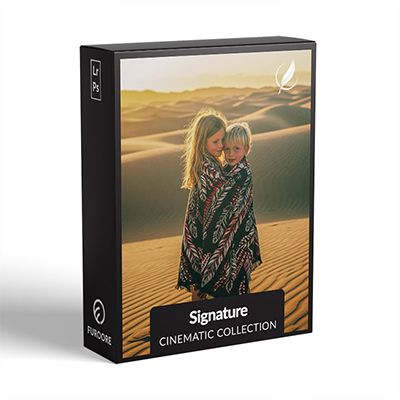
1
Cinematic Signature Present
Turn your photos into stills from a movie with deep tones, bold contrasts, and rich colors that add cinematic drama to every frame. Learn more about these presets here.
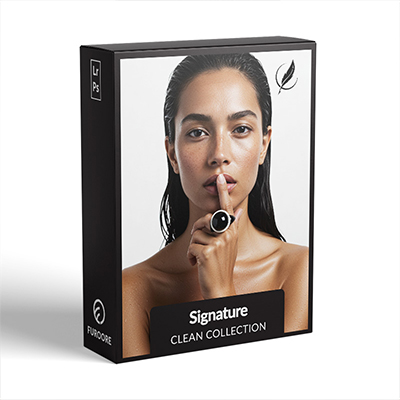
2
Clean Signature Presets
Give your shots a fresh, timeless look with bright whites, soft skin tones, and a clean aesthetic that keeps the focus where it belongs. Learn more about these presets here.
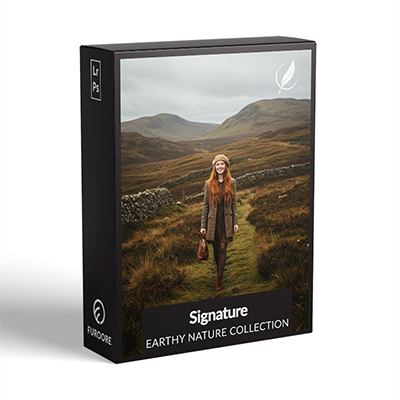
3
Earthy Nature Signature Presets
Perfect for outdoor and natural light photography – these presets enhance warm tones, soft shadows, and organic textures for a grounded, earthy look. Learn more about these presets here.
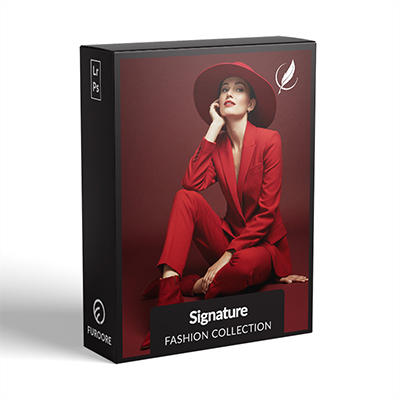
4
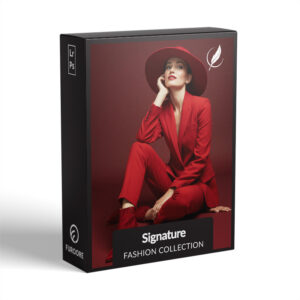
Fashion Signature Presets
Make every photo editorial-worthy with rich colors, refined contrast, and a polished finish that brings out true style in every frame. Learn more about these presets here.
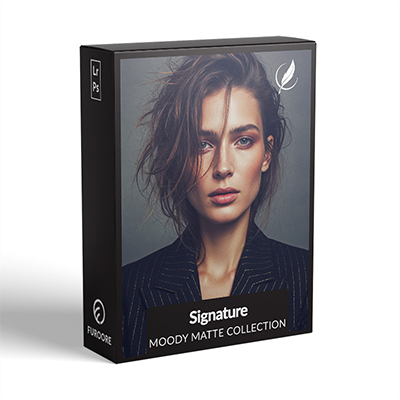
5
Moody Matte Signature Presets
Add a touch of mood and depth with soft contrast, matte blacks, and muted tones that give your images a subtle, emotional edge. Learn more about these presets here.
Whats Included:
✓ 80 Signature Presets
✓ 15 Clean Edit Presets
✓ File format: XMP, DNG
✓ Including 80 DNG files
✓ 1x Instruction Guide (PDF)
Clean Edit Presets:
Clean Edit Presets help you build the perfect base for your photo by adjusting one setting at a time – like white balance, exposure, or tones. Each preset tweaks just one thing, so it won’t mess with any other edits you’ve already made.
Compatible with:
» Adobe® Lightroom® 7.5 or later
» Adobe® Camera Raw 10.5 or later
» Adobe® Lightroom Mobile
» Android & iPhone
Looking for more options? Explore all our Signature Presets for Lightroom to find your perfect match.
FAQ
Are they beginner-friendly?
Lightroom Presets with Easy Adjustment
These Lightroom Presets were created by a pro photographer, so you can trust they’re designed to make your photos look amazing, no matter if you’re using a fancy camera or just your phone.
Using them is super easy! Whether you’re editing on your computer or your phone, you can get great results in just a few steps.
Here’s how it works:
- First, take a photo with any camera – DSLR, mirrorless, point-and-shoot, or even your smartphone.
- Next, open that photo in Lightroom.
- Then, add one of the presets to your photo with a single click.
Just a heads-up: presets won’t always look exactly the same on every photo. Things like lighting, color, or how the photo was taken can make a difference. If the photo’s too dark, too bright, or low quality, the preset might not work as well.
After you apply a preset, you might want to tweak a few things to get the perfect look. That’s totally normal! Just play with the sliders in Lightroom until it looks right.
Also, if there are people in your photo, a preset might slightly change their skin tone. No worries, just adjust the colors a bit until it looks good to you.
Presets are here to help you start strong, but a little fine-tuning goes a long way. Have fun editing!
Do I need to install anything extra?
Nope – just import the presets into Lightroom, and you’re ready.
How to use Lightroom Presets?
Absolutely. Just click to apply, then tweak if needed.
Can I use the Presets in Photoshop?
Yes, these presets also work in Photoshop!
You’ll need Adobe Camera Raw (ACR) version 10.3 or higher (for both Windows & Mac).
How to install:
- Open your photo in Photoshop.
- Go to the top menu > Filter > Camera Raw Filter.
- On the right, click the menu next to “Basic,” then choose Load Settings.
- Select the .xmp file from your unzipped download and click Load.
- Hit OK to apply the preset.
How to Download and Install the Presets
As soon as your payment is complete, you’ll get a download link sent straight to your email.
Just follow the easy steps in our How to Install Lightroom Presets guide, and you’ll be ready to start editing on your computer or phone in no time!
How to use the Clean Edit Presets?
Clean Edit Presets help you build the perfect base for your photo by adjusting one setting at a time – like white balance, exposure, or whites. Each preset tweaks just one thing, so it won’t mess with any other edits you’ve already made.
What are your Terms/License?
These presets are just for you! You’re welcome to use them for personal or commercial projects, but you can’t share, sell, or redistribute them to anyone else.
This license is for one individual only – it doesn’t cover companies or teams.
Please note:
Since these are digital downloads, all sales are final. That means no refunds, returns, or exchanges.
3 reviews for Signature Presets Bundle (All-in-One)
Add a review
You must be logged in to post a review.
Related products
-33%

Original price was: $149.90.$99.90Current price is: $99.90.

$69.90
-38%

Original price was: $79.90.$49.90Current price is: $49.90.
-38%

Original price was: $79.90.$49.90Current price is: $49.90.

Martina D. –
This are true signature presets, works perfectly for indoor and outdoor weddings, keeping the photos natural. Photos look natural and professional with just one click. Saves a lot of editing time, absolutely worth the price.
Chantal R. –
This Furoore bundle, has become an indispensable part of my process. The range is impressive, from crisp, clean edits for corporate clients to the more moody, cinematic looks for my personal travel blog. A brilliant investment for any serious photographer who wants his own signature look!
Yuki S. –
I tried many bundles, but Furoore’s Signature pack is the most consistent. Especially love Cinematic for reels and Clean for product shots. Saves me 2+ hours daily. Arigatou!