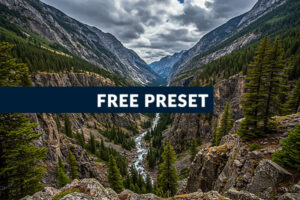
Best HDR Lightroom Preset Free Download
Michael • June 21, 2025 • 5 min read


Michael • June 21, 2025 • 5 min read

If you’re looking for HDR Lightroom presets free download, you’re in the right place. Whether you’re editing moody landscapes or bright interior shots, a solid HDR preset can give your photos that crisp, dramatic pop in seconds.
Let’s talk for a minute about what makes HDR presets so useful, how to install them, where to get the best free ones, and what to expect when you start using them.
Content
HDR stands for High Dynamic Range. It’s all about balancing shadows, highlights, and midtones so nothing feels washed out or lost in the dark. A good HDR preset can bring your photos to life by boosting contrast, sharpening details, and lifting hidden tones, without overcooking the image.
Presets are like filters, but smarter. One click applies a series of edits that would normally take you several minutes to dial in manually. And the best part? You can tweak them after applying.
Before spending money on presets, it’s smart to test a few good free ones. You can learn a lot just by seeing how the sliders are set up. Plus, free HDR presets are great if you’re:
Free doesn’t mean low quality. Many pro photographers release freebies to showcase their style—and some of them are honestly better than paid packs.

Here’s a quick breakdown of the key features to look for in any HDR preset:
| Feature | What to Look For |
| Tone Balance | Shadows lifted, highlights controlled, midtones clean |
| Clarity & Texture | Sharpness added without overdoing it |
| Color Accuracy | Looks natural, no neon skies or orange trees |
| Easy Adjustments | Works on most photos but still easy to tweak |
If a preset makes your photo look fake, it’s not a good HDR preset. A strong preset will improve the photo, not cover it up.
✅ My HDR Preset Tip:
HDR presets work best on RAW files. They hold more data, so you can push highlights and shadows further without ruining image quality.


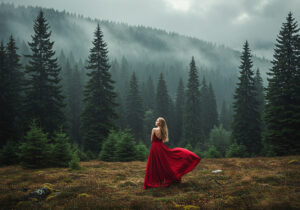
Example Image


Example Image
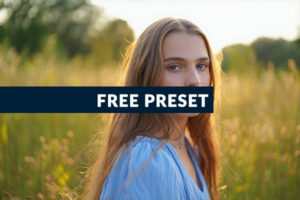
Before you scroll further, grab a free preset, available in XMP and DNG.
✅ Free Download:
This preset is fully editable. Tweak sliders, combine them, and make the style your own.#
Over-processing: HDR presets can be intense. Don’t be afraid to reduce the effect by lowering the preset’s opacity or making counter-adjustments.
Wrong photo selection: Not every photo needs HDR treatment. Skip it for:
Ignoring the histogram: Keep an eye on your histogram. If you see clipping in highlights or shadows, dial back the preset.


Example Image
There’s no shortage of free HDR presets floating around online. But not all are worth your time. Some are overcooked, outdated, or just plain crap.
So here’s what to look for when downloading:
.xmp or .lrtemplate format. These are compatible with modern Lightroom versions.| Preset Style | Best For | Avoid With |
| Natural HDR | Landscapes, architecture | Close-up portraits |
| Dramatic HDR | Cityscapes, stormy skies | Skin tones |
| Matte HDR | Portraits, fashion | Bright outdoor scenes |
| Vintage HDR | Street photography | Modern architecture |
| Cold HDR | Winter scenes, urban | Warm family photos |
| Warm HDR | Golden hour, interiors | Cool-toned landscapes |
Mobile advantages:
Desktop advantages:
Most photographers use both. Start edits on mobile, finish on desktop.
Once you understand how presets work, try building your own HDR style:
HDR Lightroom presets free download options can transform your photos from ordinary to stunning in seconds. As a photographer who’s spent years perfecting the art of high dynamic range editing I can tell you, that good editing doesn’t mean maxing out every slider, it’s about control.
Happy editing!
Related Articles
Your thoughts and questions